Running a CUDA application in Google Colab
The intention is simple: I wanted to get a CUDA application working in the Google Colab environment, working using a NVIDIA GPU (in this case, its the T4 GPU).
The sample problem is that of converting a RGB images to Grayscale images, using
CUDA. The algorithm deployed is to compute the luminance value for each pixel
which follows the formulae: L = r * 0.21 + g * 0.72 + b * 0.07
In an RGB representation, each pixel in an image is stored as a tuple (r, g, b)
values. The format of an image's row is (r g b)(r g b) ... (r g b). Each tuple
specifies a mixture of red (R), green (G), and blue (B). That is, for each
pixel, the r, g, and b values represent the intensity (0 being dark and 1 being
full intensity) of the red, green and blue light sources when the pixel is
rendered.
If we consider the input to be an image organized as an array of I of RGB
values and the output to be a corresponding array O of luminance values,
we get the simple computational structure illustrated in the following
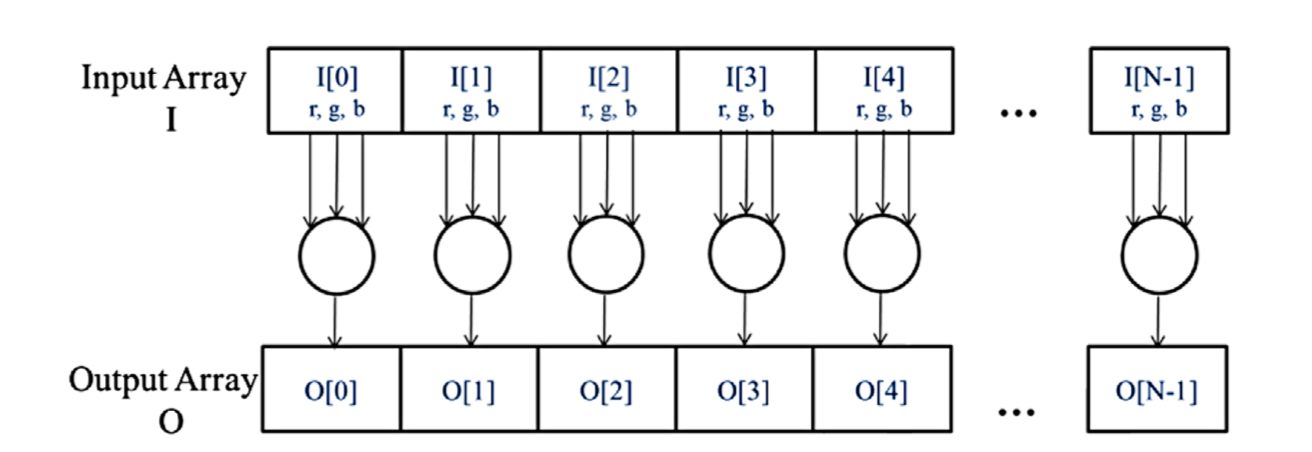 . What is clear,
is that the colour-to-grayscale conversion exhibits a rich amount of data
parallelism and there are more complex parallel patterns, but it should suffice
to illustrate this form of parallelism.
. What is clear,
is that the colour-to-grayscale conversion exhibits a rich amount of data
parallelism and there are more complex parallel patterns, but it should suffice
to illustrate this form of parallelism.
Before we get into the nuts and bolts of the solution, let us take a look at
the final outcome 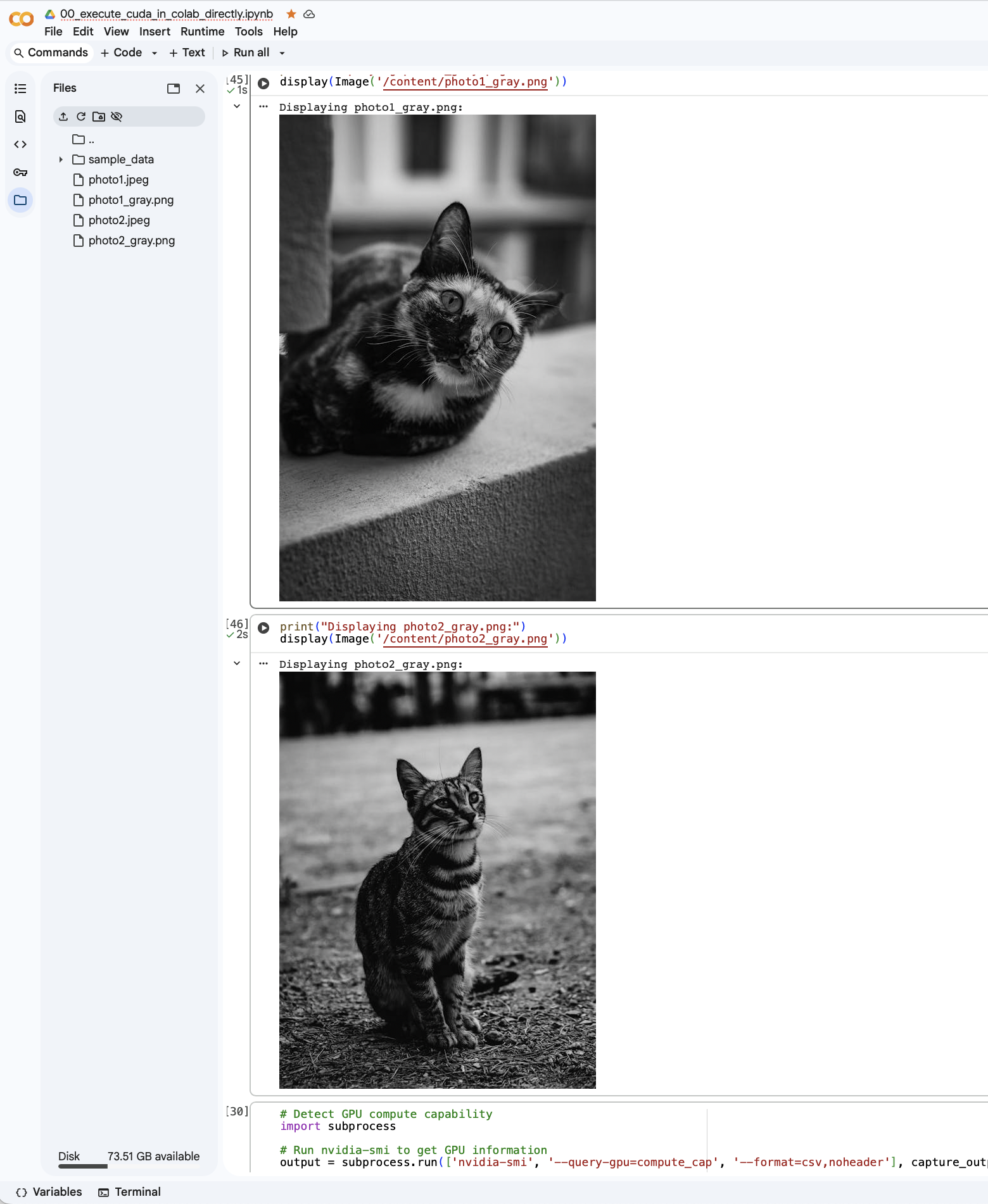 .
.
The heart of the algorithm is expressed in the following CUDA kernel:
__global__ void rgb_to_luma_kernel(const unsigned char *__restrict__ rgb,
                                   unsigned char *__restrict__ gray,
                                   size_t num_pixels) {
  const size_t idx = blockIdx.x * blockDim.x + threadIdx.x;
  const size_t stride = blockDim.x * gridDim.x;

  // BT.601-like weights from the prompt/photo: L = 0.21 R + 0.72 G + 0.07 B
  const float wr = 0.21f, wg = 0.72f, wb = 0.07f;

  for (size_t i = idx; i < num_pixels; i += stride) {
    const int base = static_cast<int>(3 * i);
    const float r = static_cast<float>(rgb[base + 0]);
    const float g = static_cast<float>(rgb[base + 1]);
    const float b = static_cast<float>(rgb[base + 2]);
    float L = wr * r + wg * g + wb * b; // 0..255
    // Round and clamp:
    unsigned char out =
        static_cast<unsigned char>(fminf(fmaxf(L, 0.0f), 255.0f) + 0.5f);
    gray[i] = out;
  }
}
Putting them together
To put this together, we need to install the jupyter plugin for nvcc (i.e.,
CUDA’s compiler for the GPU). You can install it via !pip install
nvcc4jupyter. See 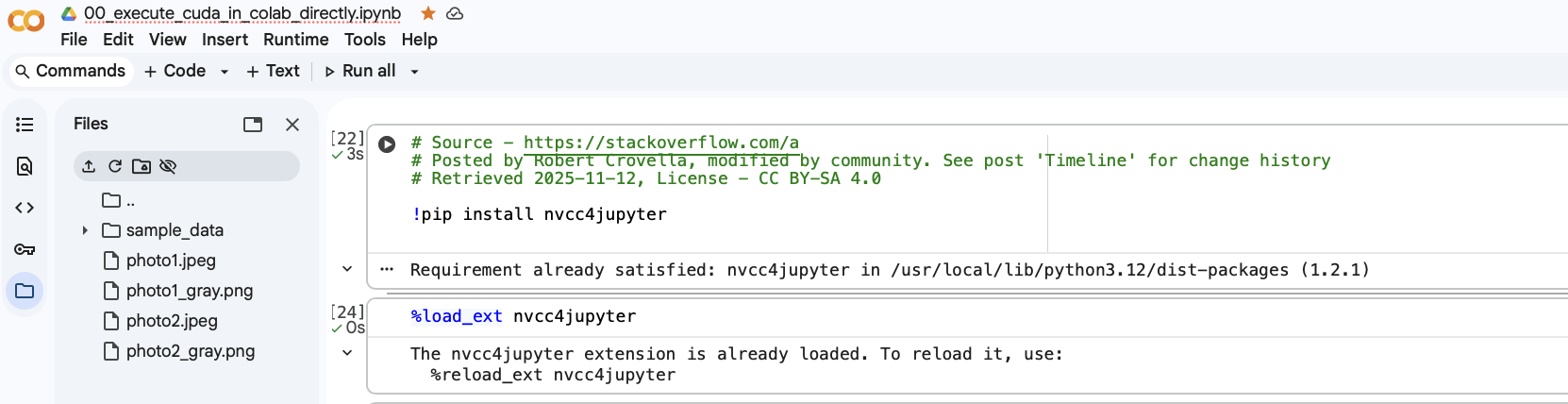
Next, we need to save the stb_image.h and stb_image_write.h header files,
together for the runtime. Most effective way is to instruct the notebook to
store the header files into its runtime, so that we can use it the next time
(e.g., %%cuda_group_save --group shared --name "stb_image.h" and
%%cuda_group_save --group shared --name "stb_image_write.h"). See
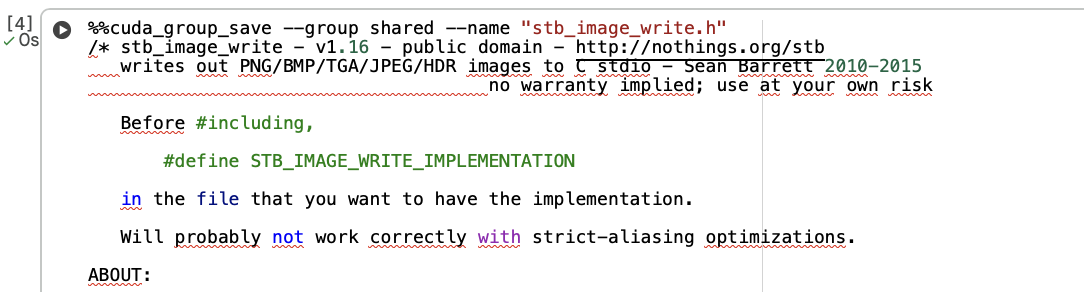
Next, this is the tricky part where the T4 GPU in the Google Colab environment
where the compute architecture of the CUDA toolkit might be to advanced for the
hardware that’s present. Hence what is needed is to command the NVCC compiler
to compile the program using a lesser compute architecture and we do this via
passing extra compiler flags to it %%cuda -c " -gencode
arch=compute_75,code=sm_75 " (note that the spaces are intentional, else you’ll
run into parsing errors) as illustrated in this 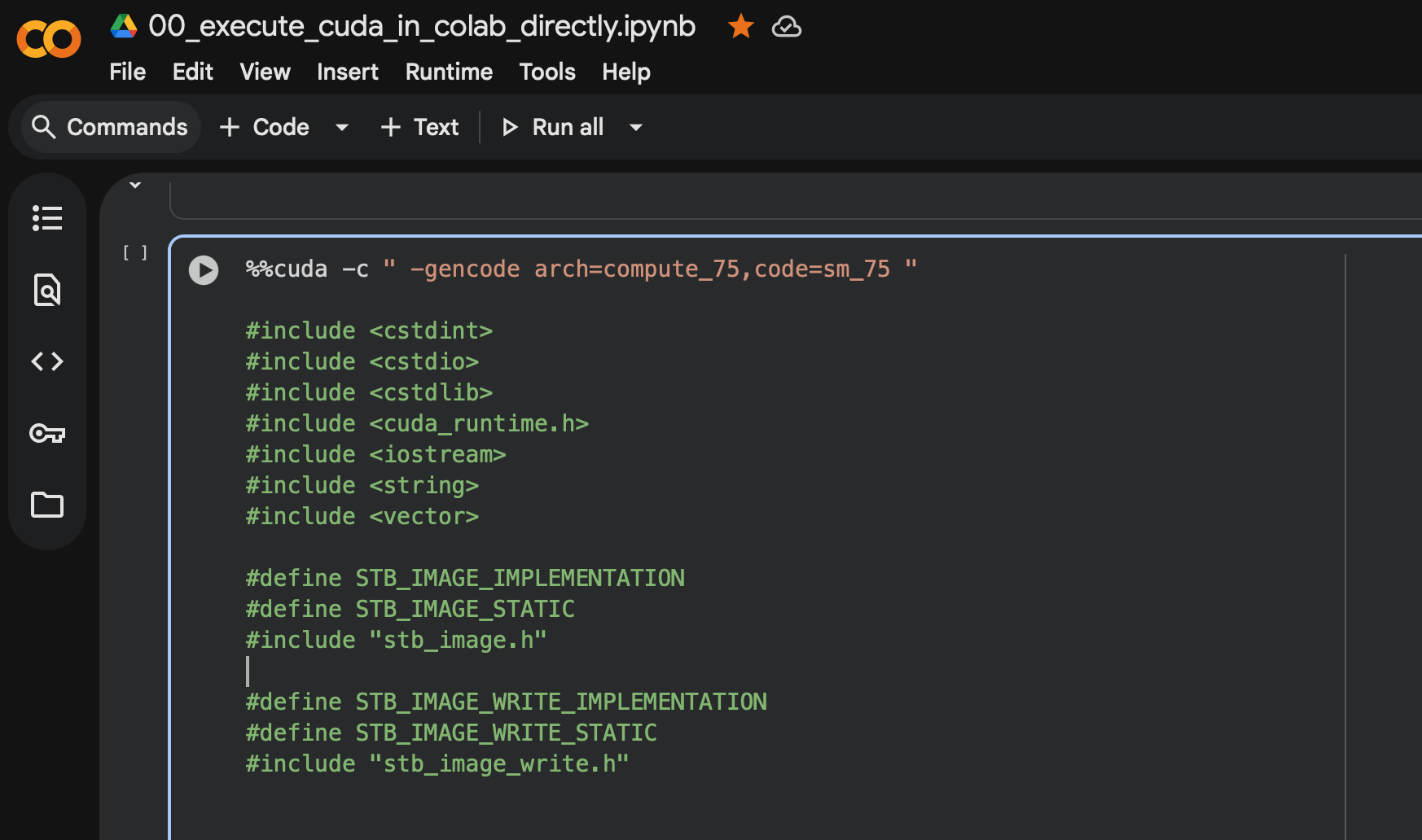
The following code is how you can use Python to detect the architecture you
have, and you can use %env ENV_NAME=ENV_VALUE to store the result, which you
can use it subsequently in your jupyter notebook. See 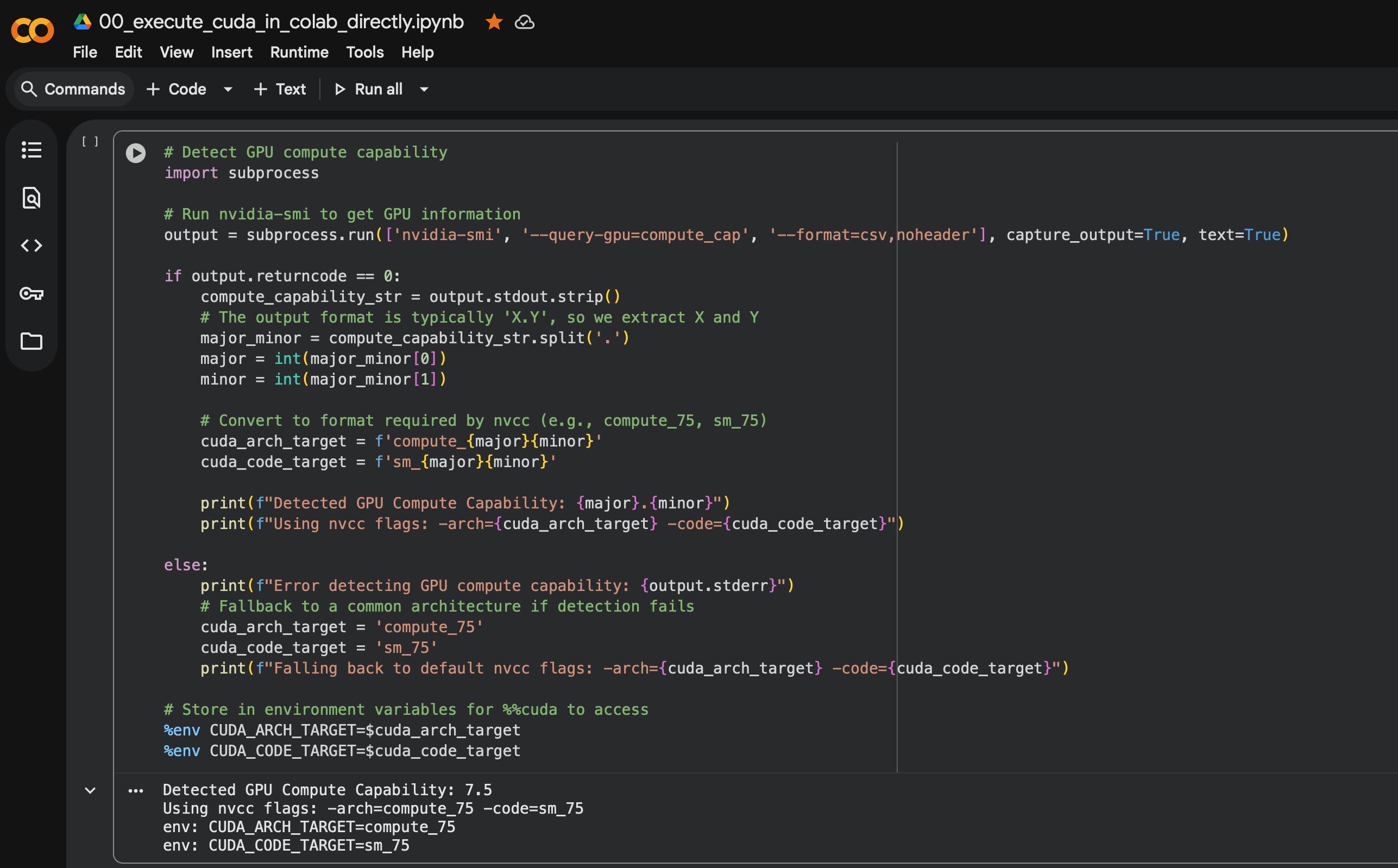
# Here's how you can detect which architecture the GPU you have is:
# Detect GPU compute capability
import subprocess

# Run nvidia-smi to get GPU information
output = subprocess.run(['nvidia-smi', '--query-gpu=compute_cap', '--format=csv,noheader'], capture_output=True, text=True)

if output.returncode == 0:
    compute_capability_str = output.stdout.strip()
    # The output format is typically 'X.Y', so we extract X and Y
    major_minor = compute_capability_str.split('.')
    major = int(major_minor[0])
    minor = int(major_minor[1])

    # Convert to format required by nvcc (e.g., compute_75, sm_75)
    cuda_arch_target = f'compute_{major}{minor}'
    cuda_code_target = f'sm_{major}{minor}'

    print(f"Detected GPU Compute Capability: {major}.{minor}")
    print(f"Using nvcc flags: -arch={cuda_arch_target} -code={cuda_code_target}")

else:
    print(f"Error detecting GPU compute capability: {output.stderr}")
    # Fallback to a common architecture if detection fails
    cuda_arch_target = 'compute_75'
    cuda_code_target = 'sm_75'
    print(f"Falling back to default nvcc flags: -arch={cuda_arch_target} -code={cuda_code_target}")

# Store in environment variables for %%cuda to access
%env CUDA_ARCH_TARGET=$cuda_arch_target
%env CUDA_CODE_TARGET=$cuda_code_target